
securing sudo with otp in macos and debian
by emre - 29.06.2026
i don't use sudo in my cloud debian servers. but in macos, i have to, sometimes. i thought using pam sudo otp would be better for security instead of disabling the sudo completely. this quick walkthrough shows how to use google authenticator otp for sudo in macos and debian.
macos (arm)
open a new shell and install google authenticator pam module with brew update; brew install -y google-authenticator-libpam command. after than that, google-authenticator command walks you through the process. first question's answer is: y. if it doesn't generate a qr code then you have to enter the secret key to your otp application manually. after adding secret key to otp application, grab your code and enter it through shell. answers of the rest are: y, n, n, n.
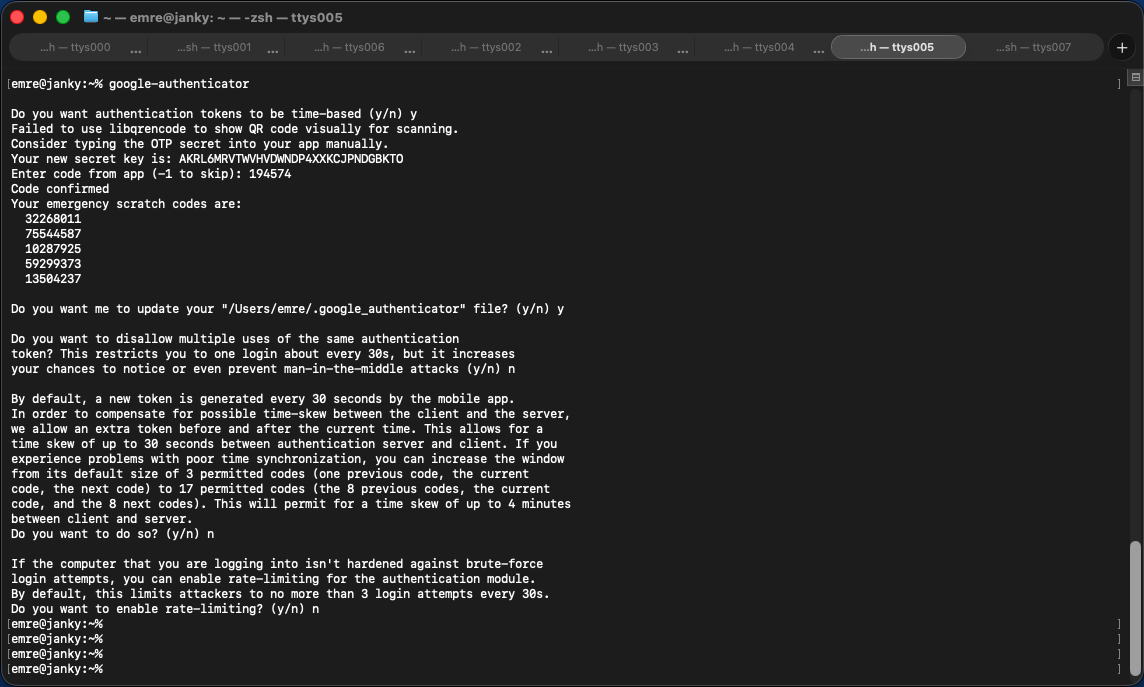 important note: also do sudo su and don't close this shell until everything works well!
♦
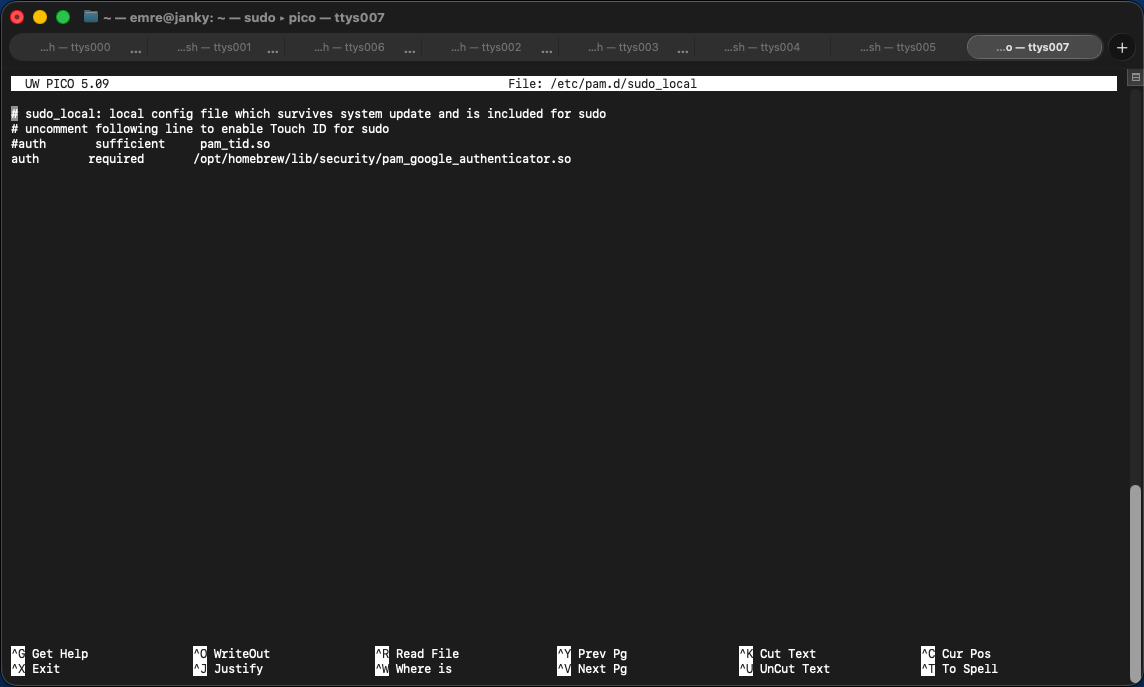
issue sudo cp /etc/pam.d/sudo_local.template /etc/pam.d/sudo_local command. then open /etc/pam.d/sudo_local with your favorite editor and add this exact line shown below.
auth required /opt/homebrew/lib/security/pam_google_authenticator.so
it should look like this:
♦
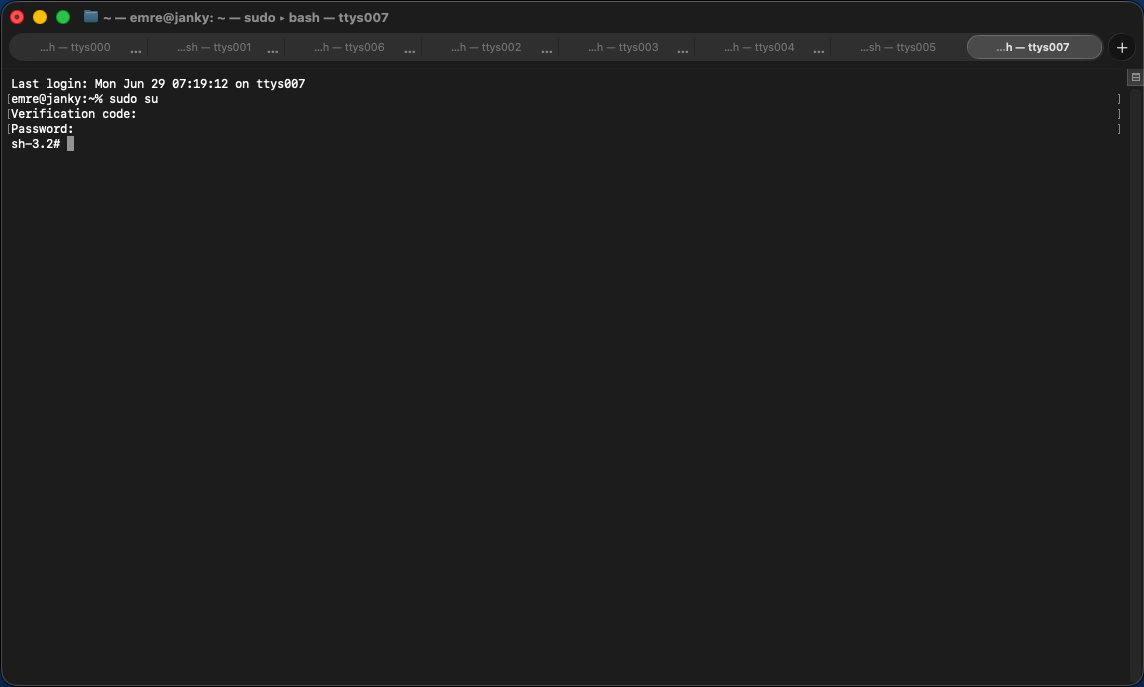
it should be okay now. you can test it with sudo su command.
♦
debian
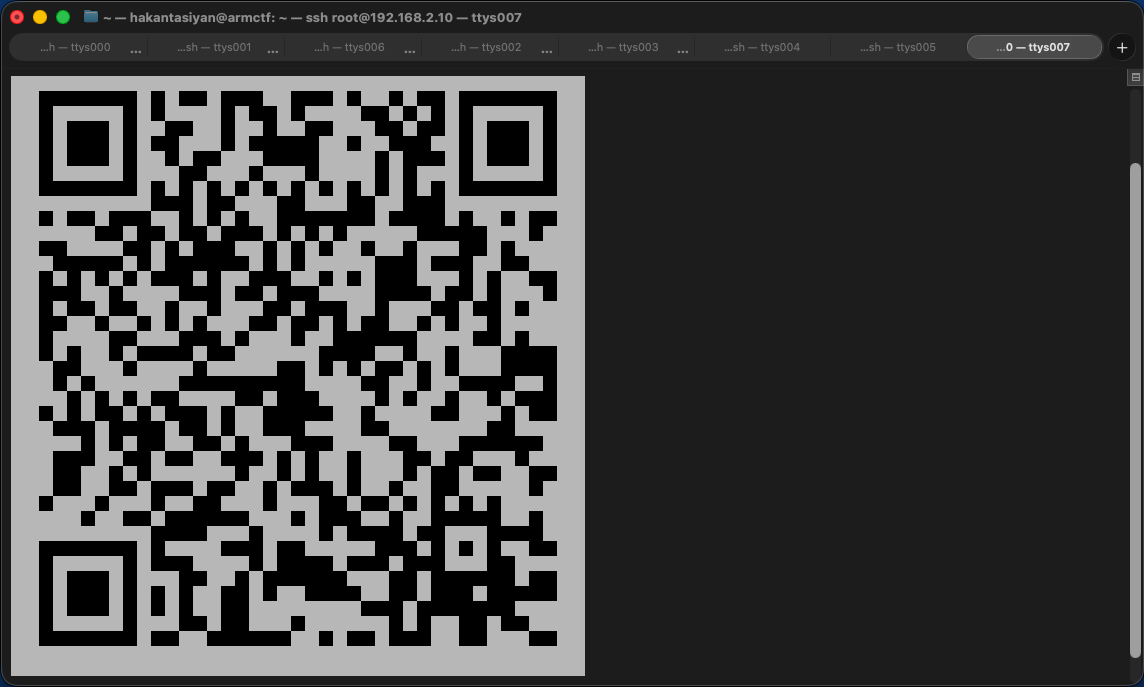
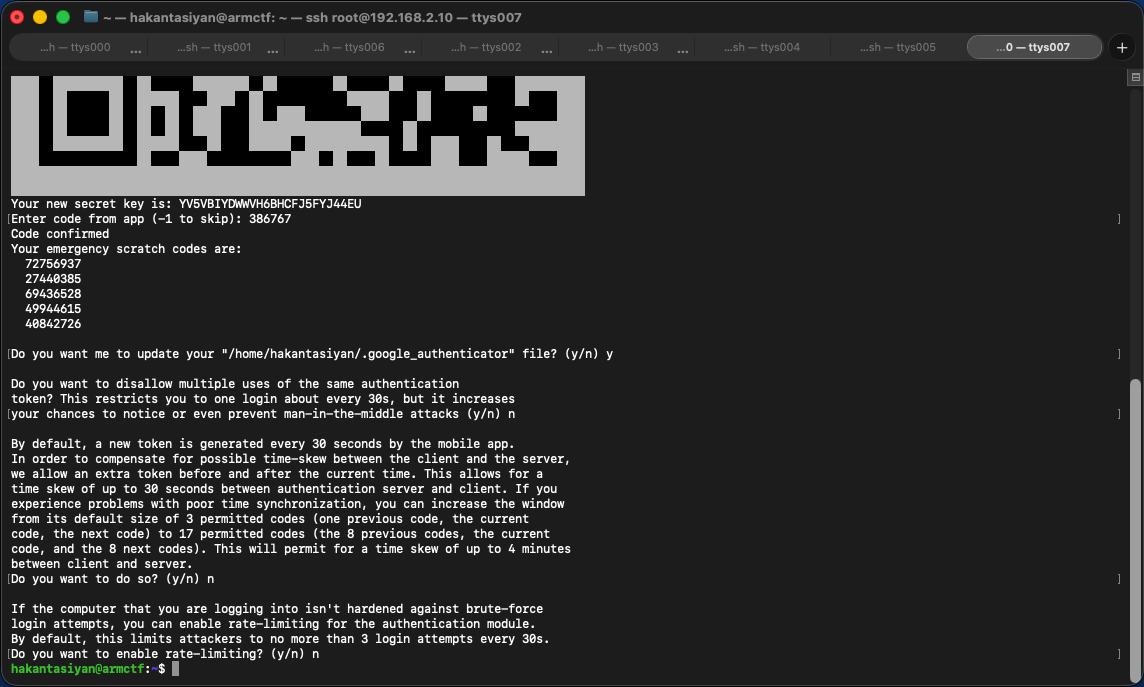
install google authenticator pam module with apt update; apt install -y libpam-google-authenticator command. after than that, google-authenticator command walks you through the process. first question's answer is: y. scan the qr with otp application, grab your code and enter it through shell. answers of the rest are: y, n, n, n.
♦
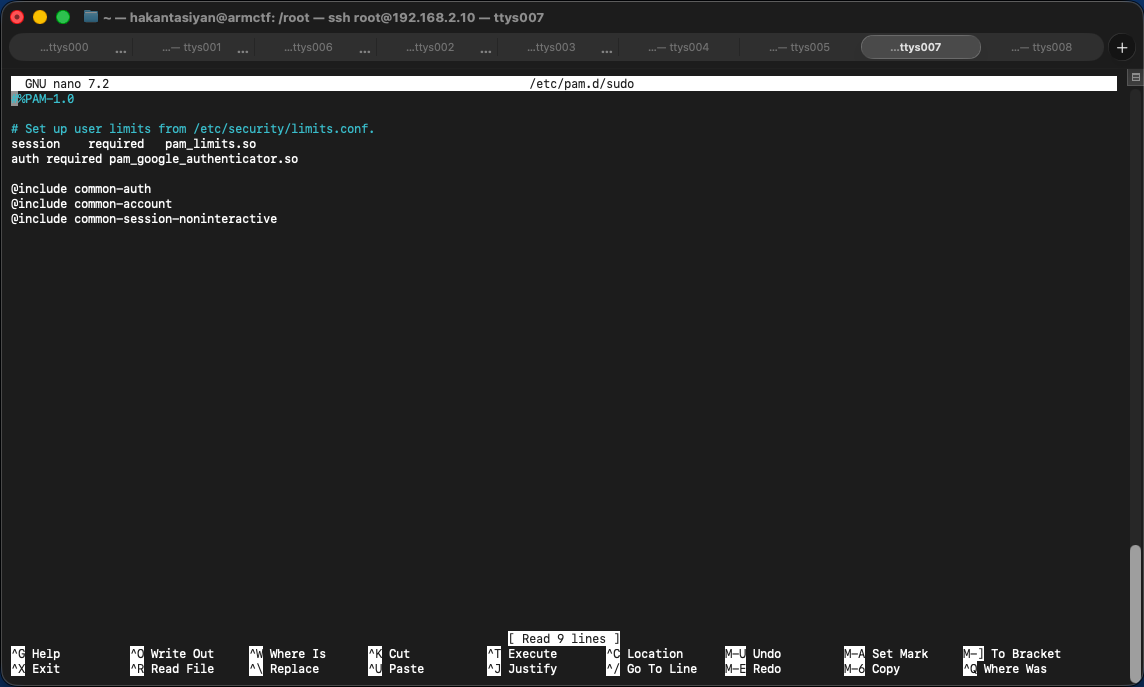
open /etc/pam.d/sudo with your favorite editor and add this exact line shown below.
auth required pam_google_authenticator.so
it should look like this:
♦
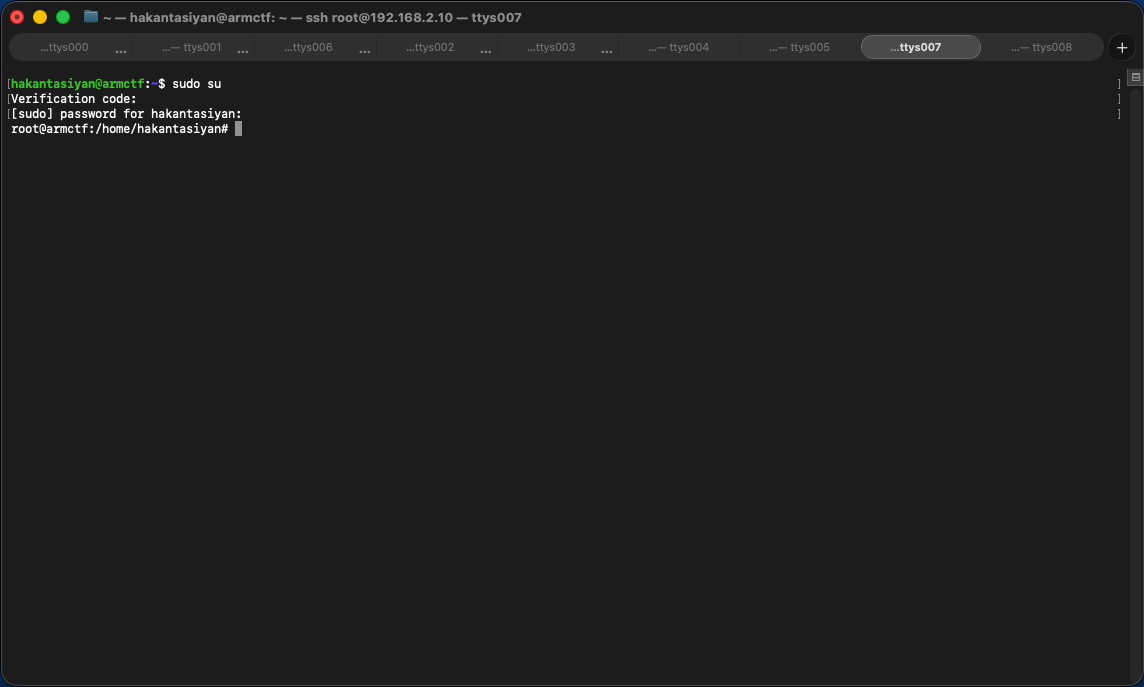
it should be okay now. you can test it with sudo su command.
 let's roll!
if you have questions: contact